Session and project handlers
Implementation: src/app/ui/handlers/session_handler.py, src/app/ui/handlers/project_handler.py
A session is one opened video plus everything Blurzy knows about it: the video reader, playback position, settings, and the four annotation layers (A and B for detections, C and D for tracks). A project is a file that remembers a set of sessions so you can close Blurzy and continue later.
Two handlers own the UI side of these ideas:
| Handler | Starts when the user... | Calls the Application facade for... |
|---|---|---|
SessionHandler |
opens videos or clicks a file in the session list | creating sessions, changing the active session, reading settings |
ProjectHandler |
uses File > New / Open / Save / Save As project | clearing, saving, and loading the whole set of sessions |
Ownership boundary
Handlers decide what the user sees: file dialogs, error dialogs, list refreshes, status text. Whether a video can be opened, which session is active, and what a project file contains are decided by Application services and the session manager. Handlers call the facade and never open videos or write project files themselves.
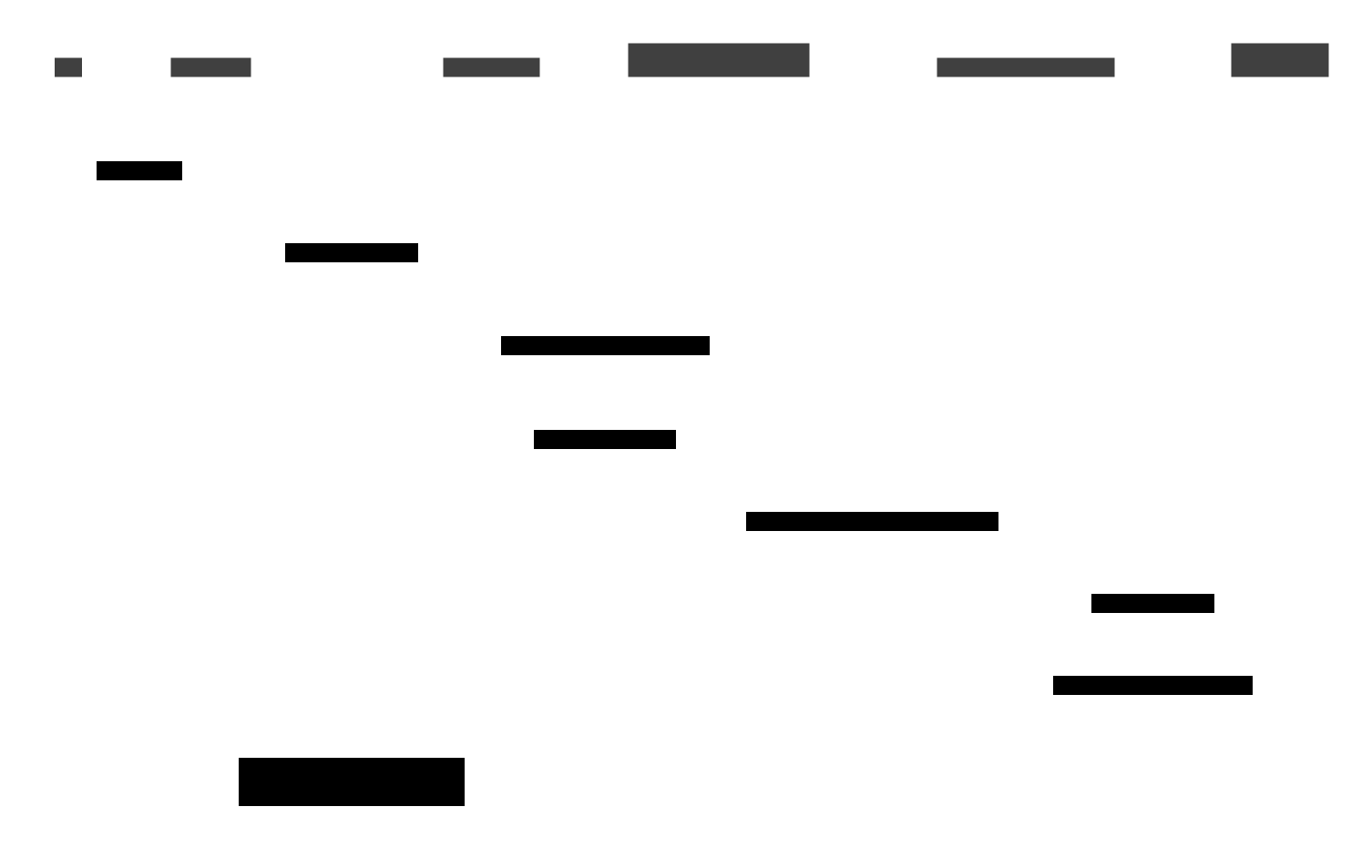
Who talks to whom


Arrows point in the direction of a call, from the user interface down toward
storage. The only part of this picture that lives on its own thread is each
session's VideoDecodeWorker; everything above it runs on the GUI thread.
Direct facade access
SessionHandler and ProjectHandler hold the controller's Application
object directly (controller.app). Detection and tracking handlers use the
UI adapter layer instead (see Detection and tracking).
Both routes reach the same facade methods.
Opening videos
- Action. File > Open Videos lets the user pick files. The window emits
open_videos_requested(paths), whichSessionHandler.on_open_videosreceives. - Stop playback. The handler calls
stop_all_playback()so no session keeps playing while the list changes. - Create sessions.
Application.open_videos()asksSessionService, which asksSessionManagerto create one session per path. Creating a session opens aVideoReader, builds theSessionStatefrom the video metadata, and starts that session'sVideoDecodeWorker(aQThread). - Duplicates and failures. A path that is already open is skipped and
logged. If no new session results,
NoNewOpenedSessionsExceptionis raised. If no session was active before, the first one becomes active. - Settle the UI. Back in the handler: saved preference defaults are applied
to each new session, new sessions are re-parented to the handler for cleanup,
and
refresh_session_views()updates the file list, enables the video widgets, restores the session's settings into the controls, and asks for a frame render. - First frame. The handler connects the active session's decode worker
seek_completedsignal with a single-shot connection. When the worker reports the first seek, the handler renders the frame only if playback is not running. Single-shot means the slot fires once and then disconnects, so later seeks do not trigger a duplicate first render.


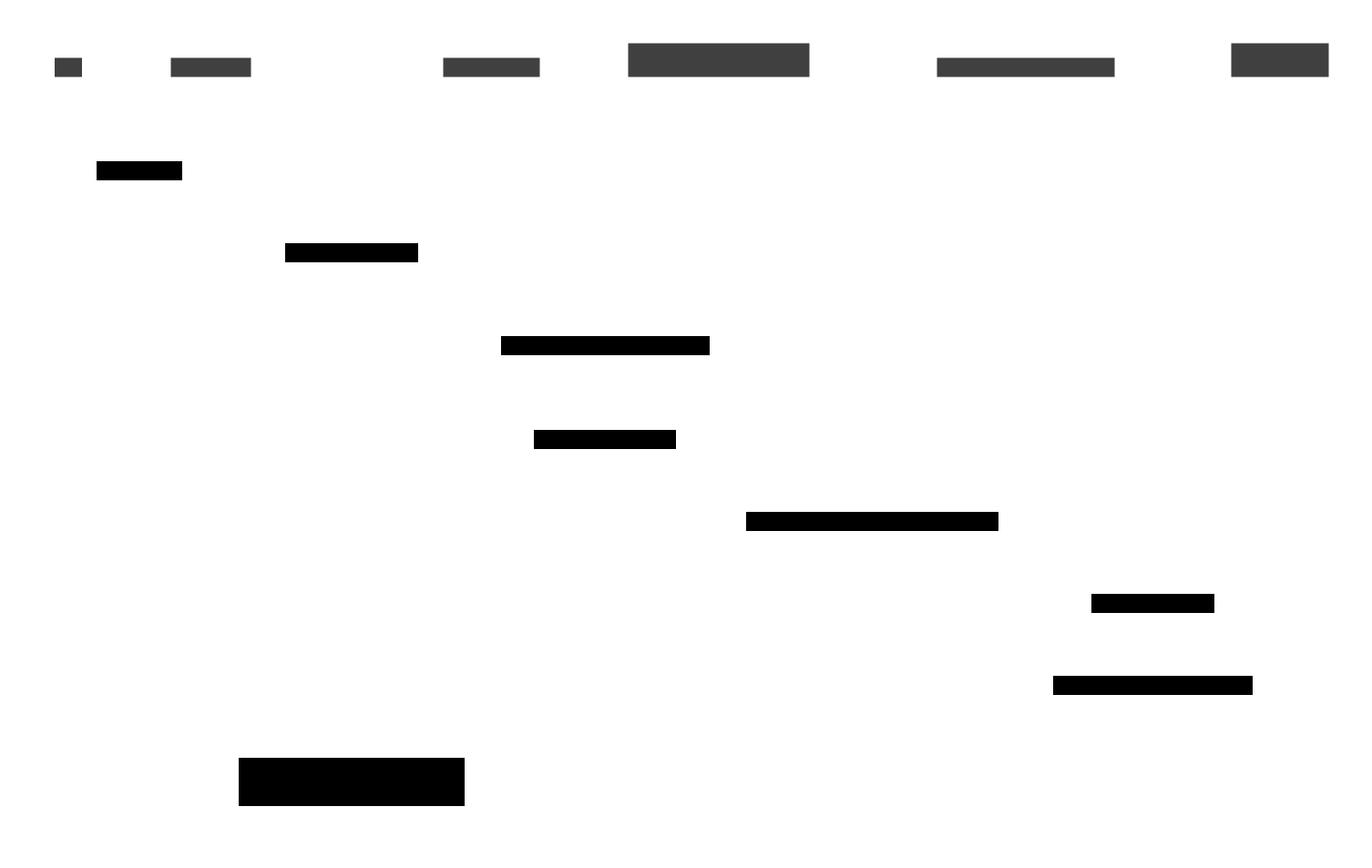
Time runs downward. Solid arrows are calls or signals; the decode worker is the
only participant outside the GUI thread, and its seek_completed signal is
delivered back to the GUI thread as a queued signal.
Opening a video is synchronous
VideoReader creation and SessionState construction run on the GUI thread
inside open_videos. Opening a large file can briefly block the window.
Only the continuous frame decoding runs in the background.
Open-video failures
| Condition | Dialog | Logged as |
|---|---|---|
Nothing new opened (NoNewOpenedSessionsException) |
information dialog titled "Error!" | info |
| Duplicate session, file cannot be opened, or stream state error | error dialog "Open Video(s) Failed!" | warning |
| Any other exception | error dialog "Open Video(s) Failed!" | error with traceback |
Unreadable files are skipped, not raised
SessionManager catches ZeroStreamsInVideoException,
VideoFileOpenException, and VideoStreamStateException while creating a
session, logs it, and creates no session. The user then sees the "nothing
new opened" dialog rather than the specific reason, which is only in the log.
Switching sessions
BottomPanel.session_selected calls on_session_selected. The handler stops
playback, sets Application.active_session_id, restores the session's saved
settings into the right-panel controls, resets the preview viewport, and renders
the current frame. The setter does the real switching work: it records the old
and new ids and calls handle_active_session_changed, which asks
VideoDecodeWorkerManager to put the old decode worker to sleep and wake the
new one at its saved frame. Selecting the already-active session is a no-op in
the manager.
Failures raise an error dialog titled "Session Load Failed"; video-related exceptions are logged as warnings, anything else with a traceback.
Projects
ProjectHandler wires four menu actions. Everything it does with the model is
synchronous on the GUI thread: there is no project worker, progress bar, or
cancel button.
| Action | Handler behaviour |
|---|---|
| New Project | clear_project() closes all sessions and resets project paths and directories, then empties the file list, disables video widgets, and sets status "Started a new project." There is no confirmation prompt. |
| Open Project | File dialog (*.blurzy or *.json); empty path means the user cancelled. |
| Save | Saves to the current path, or falls through to Save As if no path is set. |
| Save As | File dialog for *.blurzy; adds the extension if the user omitted it. |
The dialogs start in the project's directory, or the last project directory in the application preferences. After a successful open or save the handler stores the directory back into preferences.
Opening a project


ProjectService.load_project reads the document, closes every open session,
then re-opens each saved video and restores its settings, frame position,
annotation id counter, and layer payload. The recorded active session becomes
active again if it was restored; otherwise the first restored session is used.
ProjectLoadReport carries the restored count and the skipped video paths.
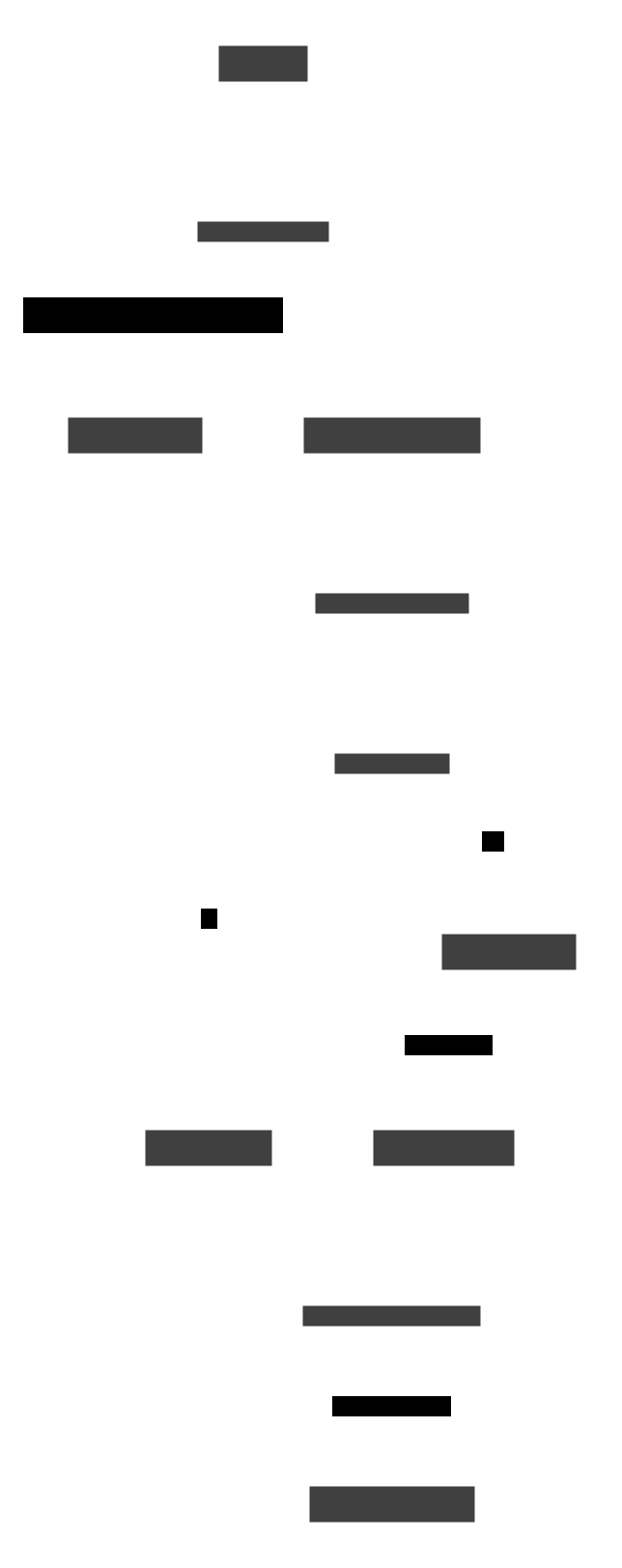
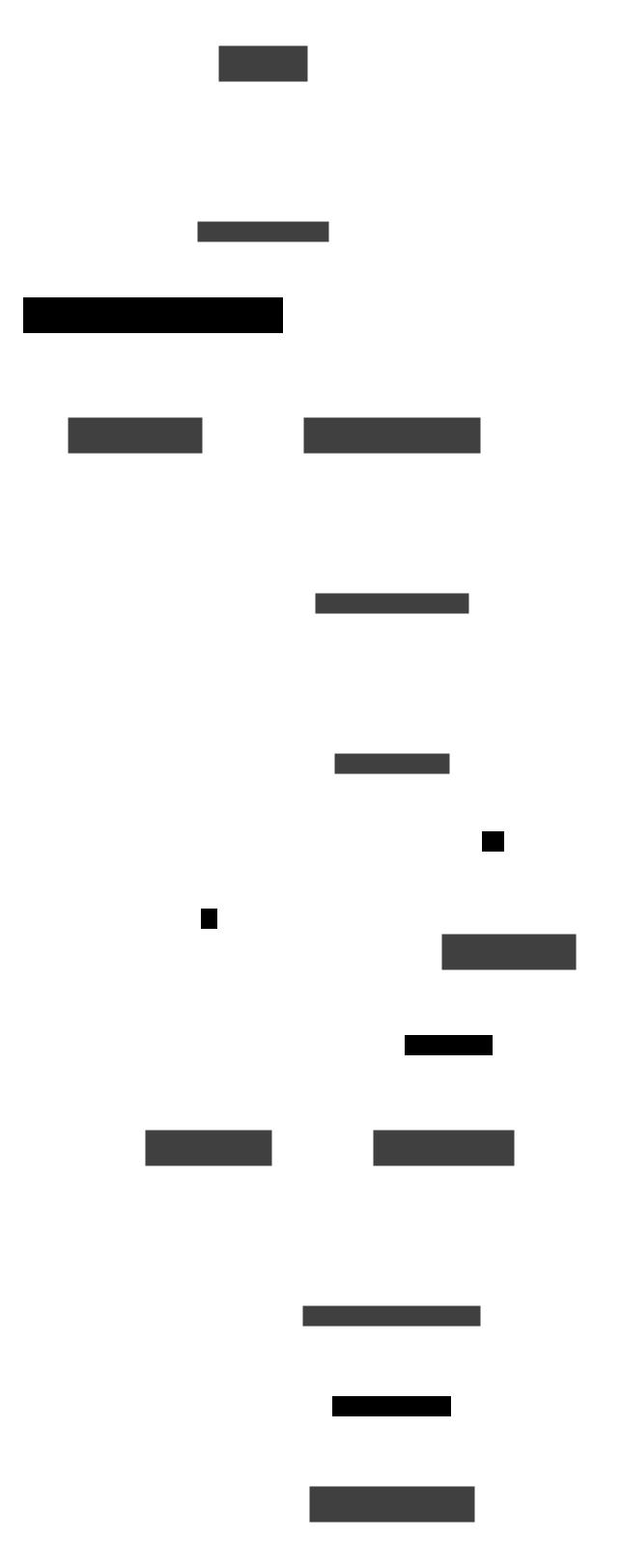
Dashed arrows are failure paths. Solid arrows are the normal path.
Partial loads and failed loads behave differently
- Unreadable or invalid file: the store raises before
close_all(), so your current sessions stay open and the handler shows "Open Project Failed". - Some videos missing or failing to restore: the project loads with the remaining sessions. Skipped paths are listed in a "Project Partially Loaded" warning. The skipped sessions' saved annotations are not kept: saving the project afterwards writes only the sessions that are open.
Unsupported setting keys in a project file are ignored with a log warning, so a project from a newer build can still load.
Saving a project
ProjectService.save_project captures each session's video path, frame index,
annotation id counter, settings, and layers A to D (via the session data's
project payload), plus the active session and the import/export directory
settings, then asks ProjectStore to write the file. On success the service
remembers the path and the handler refreshes the window's project path and
status bar ("Project saved: name"). Errors show "Save Project Failed".
A project is not a video
Projects store references to video files by path, not the video bytes. Moving a video makes it a skipped session next time. Layer import/export (JSON or CSV) is a separate workflow; see Export and import.
Thread summary
| Step | Thread |
|---|---|
| Menu/list signals, handlers, dialogs, session creation, project save and load | GUI |
| Continuous frame decoding and seek | each session's VideoDecodeWorker |
seek_completed slot (first-frame render) |
GUI (queued signal) |
For the window, dialogs, and playback that react to these changes, see the UI handlers overview and the playback handler. For the API contracts see the generated reference.